
Ever thought streaming could be as thrilling as landing that perfect play in your favorite game? Kick Streaming turns things around with a setup that's super simple and boosts your profit potential, too. Its low revenue cut and easy tools make getting started feel like unlocking a bonus level. In this guide, we walk you through the basics step by step, just like planning your next winning strategy. So, dive in and enjoy every bit of your streaming adventure.
Kick Streaming: Complete Beginner’s Guide and Essential Setup
Kick has been making waves since it launched in 2022. Its creator-friendly policies and tiny revenue cuts have really caught gamers’ attention. You can stream using OBS Studio on your desktop or even go mobile with custom RTMP settings. It’s simple to get started if you follow this guide.
First, sign up for a Kick account, it’s as easy as registering for your favorite game tournament. Then, grab your stream key from your dashboard. This key is like your personal "start" button for going live.
Here’s how to get rolling on Kick:
- Create your Kick account and secure your stream key.
- Download and install a streaming tool like OBS Studio.
- Set up your gear (camera, microphone, and lighting) and do a quick check to make sure it all works.
After that, tweak basic settings like your output resolution and bitrate for the best picture quality. Run a test stream to catch any lag or odd audio issues.
The guide also walks you through monetization. By joining the Kick Creator Program, you earn 95% of your subscription revenue, while Kick only takes 5%. It’s like unlocking a cool bonus level in your favorite game, extra rewards and more freedom to focus on what you love.
Kick’s friendly interface makes it easy to adjust settings and monitor your live stream, so you can always keep things running smoothly for your viewers.
Kick Streaming: Platform Features and Interface Navigation
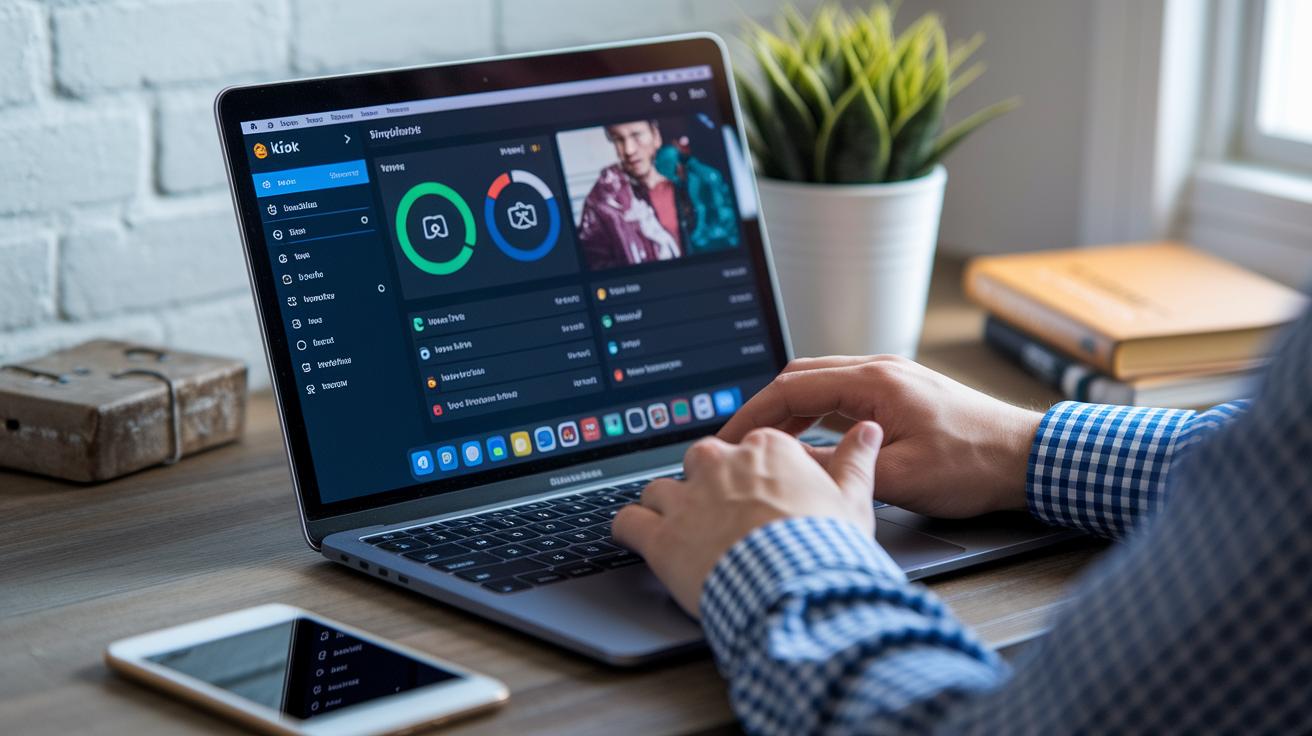
Kick’s interface is built to be super easy to use. The clean dashboard shows live chats, fun interactive features, and quick stats so you never miss a beat. It’s like hearing a teammate call out a game-changing move in the middle of an epic match.
Both desktop and mobile versions use clear menus to help you find what you need in a flash. On the website, you can tweak your stream quality, check your stats, and manage on-screen effects without any hassle. And if you’re looking for extra settings like video editing or fast chat responses, they’re just a few clicks away.
Here’s how you can level up your streaming experience:
- Use the easy-to-navigate bar to switch between your stream settings and performance scores.
- Dive into the interactive menu to keep up with live chats and viewer shout-outs all in one place.
- Try the mobile app, which makes streaming on the go just as smooth as on your PC.
- Take advantage of premium gear integration, like pairing with the OBSBOT Meet 2 for crystal-clear broadcasts.
With these cool features, streaming on Kick feels as natural as calling out plays with your crew during a heated match.
Kick Streaming Technical Setup: Hardware, Software, and System Requirements
Forget repeating the basics, let’s dive into some advanced tweaks. If you're streaming from a desktop, making sure your system runs smoothly is a must. Try out different encoder settings like NVENC and x264 to cut down on dropped frames during the heated moments. For example, switching to NVENC can save your CPU from working overtime and keep your stream steady when it matters most.
Keep an eye on your hardware too. If you're using a bunch of USB devices, check your USB bandwidth. And if your camera or mic starts acting weird, try plugging them into different ports or use a powered USB hub to ease the strain.
When it comes to mobile streaming, look for apps that let you control lag and customize RTMP settings. This means you can keep the quality high even on a less powerful phone. For instance, using a mobile app with custom RTMP options can help keep your connection strong, even when Wi-Fi is shaky.
For the real pros, you might consider adding extra tools like audio mixers or virtual webcam drivers. These can help fine-tune your sound and video, going beyond what programs like OBS Studio offer by default.
| Aspect | Desktop Streaming | Mobile Streaming |
|---|---|---|
| Performance Optimization | Advanced encoder settings (NVENC, x264), multi-core processing | Custom RTMP options, app-specific latency controls |
| Hardware Integration | Supports dedicated peripherals and external mixers | Relies on built-in mics and cameras, minimal external support |
| Customization | Extensive settings: video filters, scene transitions, chroma-key | Simplified interface with select customization options |
Test out your stream’s performance using your streaming software and adjust the bitrate or resolution as needed. Use dedicated monitoring tools to check your CPU and GPU load when you're live. And if you run into issues with your hardware, try testing each device one at a time to pinpoint the problem.
Kick Streaming Monetization: Revenue Models and Earning Opportunities

Kick is set up so every streamer gets a fair go at making money. Just stream five hours and get 75 followers to join the Creator Program, and you’re good to go. Once you’re in, you pocket 95% of your subscription revenue while only a tiny 5% goes to the platform. Think of it like playing a game where almost every score counts.
There are plenty of ways to pull in cash on Kick. Besides the subscriptions, viewers can chip in donations if they’re loving your stream. Some creators even set up memberships with extra perks that keep fans coming back for more. And if you’re into affiliate marketing, you can recommend gear or score sponsorship deals to earn a bit more on the side.
Kick also gives you cool performance stats that work like a scorecard, so you can see how well you’re doing and tweak your strategy. Ever feel like checking your revenue report is like watching a replay of your best moves? Every income source is clear and easy to track, helping you plan your next big play.
| Revenue Stream | Description |
|---|---|
| Subscriptions | Keep 95% of the fee while only a 5% kick goes to the platform. |
| Donations | Get direct support from your viewers during your stream. |
| Memberships | Offer cool, exclusive content that keeps your fans returning. |
Mix and match these income options to boost your earnings and sharpen your streaming game.
Kick Streaming: Audience Engagement, Best Practices, and Troubleshooting Tips
Kick streamers can really boost their vibe by using interactive chat features and in-stream tools. With a dashboard that shows how you're doing, you can quickly see which moves are working best. Try using live polls and Q&A sessions to get everyone involved, kind of like chatting about that epic comeback in your favorite game.
A good setup is all about keeping your chat friendly. Set up moderated chats so everyone feels welcome, and invite viewers to share their thoughts during quieter moments. Then, give a shout-out to the best comments on-screen. Here are a few quick tips:
- Stick to a regular broadcasting schedule so your fans know exactly when to join in.
- Try short, fun campaigns that reward viewers for joining the conversation.
- Edit and share cool clips from your live streams on social media to grow your community.
When you're live, respond to chat messages quickly while keeping things upbeat, like calling out plays during a fast, exciting match. And if you ever run into trouble with content moderation, don’t panic. Experiment with different settings and use your built-in analytics to spot what might be off. Fixing issues like a sudden drop in chat activity or slow responses is just as important as tweaking your stream layout for better ambiance.
For your live shows, plan segments in advance and offer simple rewards to bring in new subscribers. Keeping an eye on what the numbers say helps you adjust on the fly, so the energy stays high throughout your broadcast.
Final Words
In the action, we broke down kick streaming basics. We covered everything from setting up your account and essential tech to navigating the platform interface and using OBS Studio for your broadcast.
We even looked at ways to earn and keep your audience engaged while sharing tips for a smooth setup. With these clear steps, you're all set to start kick streaming and impress your peers with fresh insights and a strong, interactive broadcast. Enjoy experimenting and leveling up your stream!
FAQ
How does Kick compare with Twitch?
Kick sets itself apart from Twitch by offering creators a 95% share of subscription revenue and lower fees. This makes it a favorable choice for streamers seeking a more profitable and accessible broadcast experience.
What is the Kick app and how can I download it?
The Kick app is a mobile version of the live streaming service that lets you broadcast from anywhere. You can download it directly from the official Kick website and follow the simple setup instructions.
What features does the Kick website offer and how do I log in?
The Kick website features an easy-to-use dashboard with live chat and analytics for stream management. Logging in is straightforward by entering your account credentials on the sign-in page.
What is Kick’s streaming net worth?
Kick’s streaming net worth reflects rapid growth driven by its creator-friendly policies and competitive revenue splits, attracting many new streamers and boosting its presence in the live broadcasting market.
How does payment work on Kick streaming, including hourly rates?
Kick’s payment model focuses on subscription revenue and creator incentives rather than fixed hourly wages. Creators earn up to 95% of subscription fees based on their broadcast performance and audience engagement.
Is Kick owned by Amazon?
Kick is an independent live streaming platform launched recently. It is not owned by Amazon and operates under its own management with distinct monetization options for creators.
Does Kick Streaming allow NSFW content?
Kick Streaming permits NSFW content with fewer restrictions compared to some competitors while still enforcing guidelines that help maintain a safe and engaging environment for its community.