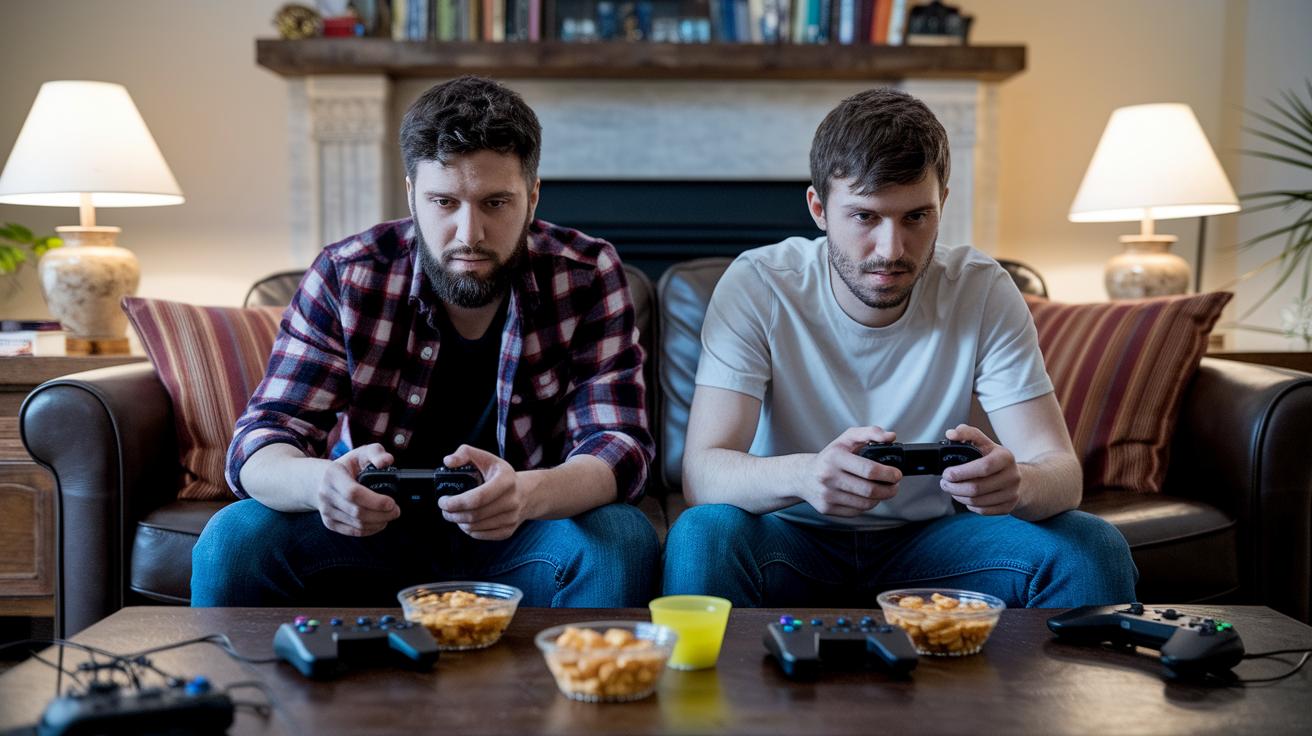
Have you ever wondered if gaming is more than just quick reflexes and bright graphics? Gaming pulls billions of players into worlds filled with tricky puzzles, tough challenges, and epic quests. Maybe you thought a simple game was only about mindless fun, but think again, gaming fires up your creativity and teaches you cool new skills.
In this guide, we break down the basics for beginners so you can jump into your gaming adventure with confidence. Get ready to learn, explore, and most of all, have an amazing time.
Core Concepts in Gaming Basics for Beginners
Gaming grabs billions of players by offering an endless mix of experiences. Whether you're tapping away on Candy Crush or immersing yourself in a rich story like The Witcher 3, gaming pulls you into a world where every moment is an adventure. Ever think about how Candy Crush started as just a simple puzzle game and then became a global hit?
When you jump into a game, you're not just sitting back and watching. You face obstacles, solve puzzles, and sometimes battle it out using quick reflexes and smart decisions. It feels like you’re part of the story, not just an onlooker. The stunning graphics and cool soundtracks work together to pull you in, creating a vibe that's as lively and unpredictable as your favorite game level.
Starting out might seem a bit daunting, but gaming is all about creativity and fun. Whether you’re in for short bursts on your phone or ready to dive deep with a console, every game is a chance to learn something new and enjoy the ride. Imagine wandering through a vibrant digital world where every step leads to unexpected challenges, and you get to guide your character through secret paths and hidden treasures.
Every gaming session is a blend of art and challenge, inviting you to explore, learn, and eventually master the skills that make digital adventures so thrilling.
Essential Gaming Terminology for Beginners

Learning the basic language of games is like finding the secret key to a new, exciting world. When you know these words, gameplay feels a lot easier, menus, guides, and tutorials all make more sense. Think of it like practicing the simple moves before you jump into a new sport.
Here are seven simple terms every new gamer should know:
- Genre: This tells you what type of game you're playing. Love fast action? You might choose an action game like Fortnite. If you prefer rich stories, you might go for RPGs.
- HUD: Stands for Heads-Up Display. It's the on-screen info that shows things like your health or score. Think of it as your very own game dashboard.
- NPC: Stands for Non-Player Character. These are the characters that the game runs on its own. They might tell the story or give you hints along the way.
- FPS: This means Frames Per Second. It shows how smooth the game looks. More frames mean a crisper, smoother experience.
- RPG: Short for Role-Playing Game. In these games, you act as a character and shape what happens. It’s like being the hero in your own adventure.
- Sandbox: A game style where you have the freedom to explore and try new things without strict rules. It's all about creativity.
- DLC: This stands for Downloadable Content. It means extra game material you can add later to give your game a boost.
Mastering these basics will give your gaming sessions a whole new level of fun.
Choosing Your First Gaming Platform
Gaming today gives you loads of ways to jump in and have fun. Each type of platform changes how you enjoy your games, so it's worth spending a moment to see which one fits your style best.
Consoles are super simple and ready to go. You just plug them in, and you're in the game, no fussing with settings. It’s like having a remote control to amazing adventures, as seen in games like The Legend of Zelda: Breath of the Wild.
PC gaming, on the other hand, lets you dive into the details. If you love tweaking graphics, trying out mods, or building a collection of different games, a gaming rig gives you total control. Just keep in mind that it might cost a bit more to get started.
Mobile gaming is all about quick, on-the-go sessions. Whether you're waiting in line or taking a break, mobile games are easy to play anywhere. The touch controls might take a minute to get used to, especially if you’re used to more detailed actions.
And then there’s virtual reality. VR takes gaming to another level by making you feel like you're really inside the game world. It requires a headset, but if you're up for that extra step, it creates an experience that's hard to beat.
For those watching your wallet, cloud gaming is a neat option too. It lets you enjoy high-quality games without needing to buy expensive hardware. Just check out some cloud gaming services to see how they can fit your needs.
| Platform | Pros | Cons | Example Title |
|---|---|---|---|
| Console | Easy setup, consistent performance | Limited hardware tweaking | The Legend of Zelda: Breath of the Wild |
| PC | Customizable graphics, mod support | Higher initial cost | The Witcher 3: Wild Hunt |
| Mobile | Play anywhere, lots of free games | Touchscreen can feel imprecise | Candy Crush Saga |
| VR | Deep immersion, innovative controls | Extra gear required | Beat Saber |
Gaming Basics for Beginners: Kickstart Fun

First off, pick a display that feels right. Go for a TV or monitor with a refresh rate of at least 60 Hz so things look smoother during those fast moments. It’s like the difference between watching a movie in normal speed and feeling like you're in the middle of a high-speed chase. This little tweak can really up your game and protect your eyes.
Next, decide on your input devices. Do you want a gamepad or a keyboard-and-mouse setup? Gamepads usually feel more natural when playing on a console, while keyboard and mouse give you that extra precision on a PC. Some gamers even say, "I love my gamepad for racing games because it just feels right." It might help to try both options before you choose.
You’ll also need a steady internet connection, especially if you’re diving into online multiplayer matches. A reliable connection cuts down lag and keeps interruptions to a minimum, kind of like having a clear chat in a busy room. Make sure your router or wired connection can keep up with your gaming style.
Don’t forget about audio gear either. A solid headset can really set the scene by letting you hear every little game cue and coordinate with friends easily. Imagine hearing every step your opponent takes, it makes playing so much more exciting!
Lastly, setting up your gaming space doesn’t have to break the bank. Budget builds for a PC can start around $300, and modern consoles usually range between $300 and $500. Keep an eye out for bundle deals to get the best value possible.
Video Game Controls Explained for New Players
Keyboard and Mouse
PC gamers usually rock a keyboard and mouse combo. You move your character with keys like W, A, S, and D, and it feels natural once you get used to it. Many players even change up their key settings so that everything matches their play style. Ever tried remapping your jump key to line up better with your other moves? The mouse helps you aim and click through menus to adjust settings like graphics or sound. It’s as smooth as steering your favorite ride.
Gamepad Controllers
Console folks mostly use gamepad controllers. They rely on two analog sticks, one for walking around and one for aiming, while the buttons handle actions like jumping or attacking. These controllers often give you a little buzz when something big happens in the game, making every move feel more intense. Imagine hitting a special move and feeling that cool rumble in your hands, it really adds to the thrill.
Touch and Gesture Input
Mobile gaming is all about touch controls. A quick tap lets you select options, and swiping helps you move through menus or dodge tricky obstacles. You can even pinch to zoom and inspect details up close during those challenging levels. Think about tapping to jump over a barrier or swiping to uncover a hidden secret, it’s a fun, fast, and sometimes tricky experience that keeps you on your toes.
Gaming Basics for Beginners: Kickstart Fun

If you’re just starting out in digital play, a few clear steps can help make the game worlds easier to explore. Lots of games even include simple tutorials that guide you on everything from walking your character to pulling off special moves.
- Pick a beginner-friendly game: Look for games known for easy controls and fun stories, like classic platformers or adventures the whole family can enjoy. Think of titles similar to Assassin’s Creed or Mario where guided modes help you get started.
- Turn on tutorials: Use the game’s built-in guides to learn the controls, navigate menus, and understand the goals. It’s a hands-on way to see the basics and start feeling at home.
- Tweak difficulty and controls: Adjust settings like how hard the game is or customize button layouts so the challenge suits your pace. This simple change lets you practice without the pressure.
- Replay tricky parts: If something feels hard, try it again. Playing the same sections more than once can boost your confidence and help you catch small details.
- Check out community tips: Look up advice and tricks from other players. Their insights might reveal cool strategies you wouldn’t notice on your own.
Take these steps one at a time, and soon your first gaming session will feel like a fun practice run. With a bit of patience and repeated play, you’ll nail the basics and be ready to jump into more exciting game worlds.
Exploring Popular Game Genres for Beginners
Different kinds of games bring their own fun and challenges. Maybe you love super-fast reflex challenges or getting lost in a deep story. Knowing what makes each game type special can help you pick one that really fits your style. Imagine jumping into a game where every move counts, and your quick thinking could be the difference between winning and losing, just like in Fortnite.
Below is a handy comparison of five popular game genres with their main traits and a title you might recognize:
| Genre | Key Features | Example Title |
|---|---|---|
| Action | Fast-paced combat and quick reflexes | Fortnite |
| Role-Playing | Deep character growth and immersive stories | The Witcher 3: Wild Hunt |
| Strategy | Careful planning and resource management | Civilization VI |
| Simulation | Open-ended play and virtual life experiences | The Sims 4 |
| Puzzle | Brain-teasing challenges that get harder over time | Candy Crush Saga |
Action games push you to make split-second decisions while under pressure. Role-playing games let you dive deep into a character’s life, sometimes on epic adventures that feel real. Strategy games are for when you enjoy mapping out plans and managing resources, kind of like solving a big, interactive puzzle. Simulation games give you a sandbox to explore, build, or control a whole different world. And puzzle games work your brain by offering tougher challenges as you level up.
It’s like sampling different dishes on a menu, each offering a new type of thrill. Whether you're into fast action or strategic thinking, there's a game out there waiting to match your vibe.
Online Multiplayer and Community Etiquette Basics

When you jump into an online match, it’s like walking into a friendly room where everyone’s ready to play. Games like Among Us and Fortnite make it clear that playing together and chatting with friends add a whole new level of excitement. Look for lobby options that let you join team matches or public games, and you’ll feel right at home.
Clear communication goes a long way. Whether you’re using voice chat or texting, a quick call-out like "I see them coming from the left, let's group up!" can keep everyone in sync. It’s all about sharing updates without missing a beat.
Respect is key. Stick to the game’s rules, be patient when waiting for your turn, and give a nod of thanks when a teammate helps out. Don’t flood the chat, and keep your tone upbeat even when things don’t go your way.
Here are a few simple tips to remember:
| Tip | Description |
|---|---|
| Speak Clearly | Keep your messages simple and to the point |
| Follow the Rules | Stick to game guidelines for a smooth experience |
| Support Your Teammates | Share friendly tips and encouragement |
And don’t forget, a stable network connection is like your secret power-up, making sure your moves and messages get through on time.
Safety, Healthy Habits, and Time Management in Gaming Basics
Setting up your gaming spot right can make all the difference. Grab a chair that keeps your back straight and adjust your screen so you don’t end up with a sore neck. And yep, just like taking a quick break in a heated match, a short pause every hour or so, maybe a few stretches or a brisk walk, can help keep those muscles happy.
Keeping your digital space safe is as important as your comfy setup. Turn on any privacy controls and parental filters you might need, so your focus stays on the game and not on unwanted distractions. Think of it like putting up a quick barrier in a tough match, simple steps that protect your online turf.
Balancing your gaming hours is key too. Using screen timers can remind you to take those pauses and keep your sessions fun without going overboard. It’s a bit like checking your health stats in a game to know when to recharge. Good habits here are your ultimate power-ups, keeping your play safe and full of long-lasting fun.
Final Words
In the action, we walked through the essentials of getting started, from conquering the gaming basics for beginners to understanding key terms, picking a platform, setting up your gear, and mastering controls during gameplay.
We also touched on making smart choices in tutorials, enjoying various game genres, and keeping play safe and fun. Every tip is a building block for stepping confidently into your gaming future. Happy gaming!
FAQ
Frequently Asked Questions
How does a beginner start gaming on PC, laptop, or console?
The basics of starting gaming involve selecting a beginner-friendly title, exploring in-game tutorials, setting up your device with proper hardware, and joining supportive communities like those on Reddit.
What are some popular beginner games and platforms?
The popular games include Fortnite, Minecraft, Stardew Valley, and League of Legends, all available on platforms such as Steam and the Epic Games Store, which offer easy entry for those new to gaming.
How do I get into gaming as a girl?
The idea of getting into gaming as a girl means choosing games that spark your interest, engaging with welcoming communities, and sharing your experiences with players who value diversity and fun.
What does online gaming for beginners include?
The fundamentals of online gaming for newcomers involve learning to join multiplayer matches, using simple communication tools, and respecting community guidelines to create a friendly play environment.
What is the 20 rule for video games?
The 20 rule for video games suggests giving a title about twenty minutes to see if it grabs your attention before investing a lot more time into playing it.
How many gaming hours a day may indicate an addiction?
The idea of addiction isn’t set in stone, but spending many continuous hours playing without taking breaks—well beyond typical one to two-hour sessions—could be a sign to rebalance your time.
What is considered the first rule of gaming?
The basic first rule of gaming is to have fun while showing respect to other players, ensuring that enjoyment and a positive attitude drive your gaming experience.
How can Reddit or PS4 guides help with gaming basics?
The mention of Reddit or PS4 refers to community and console guides that provide practical tips, walkthroughs, and peer advice, making it easier for beginners to learn and have fun playing.