
Ever had that awful lag when you're about to nail your winning shot? It can flip a great moment into a real headache. In this post, we'll break down why your game sometimes stutters between your setup and the server. Lower ping means faster reaction times, which is key for any win. We’ll share what causes these delays and how fixing them can make your gameplay feel smooth and effortless.
Game Server Latency Issues: Smooth Play Ahead

Latency is basically the delay between your gaming setup and the game server. It shows how quickly your actions travel over the internet. Lower latency means what you do in the game shows up almost instantly, like when you click to shoot and the bullet lands almost in a blink, if your latency is under 20ms, that action feels super smooth.
Ping is a good way to see how fast the server responds, and the best scores are near 0ms. In fast-paced games like FPS or MOBAs, even a tiny delay can mess things up, making movements feel off or causing choppy graphics. Ever been in the middle of a match and noticed a split-second freeze right before you land a hit? That’s high ping, and it could cost you the win.
Tools that measure digital latency and track data in real time help gamers pinpoint these delays. Many players use tricks to optimize their ping and set up their systems for top performance. When input lags, every move is at risk. In the thick of battle, that lag might make you miss a crucial defense or even disconnect you, sometimes leading to a loss or penalties.
In short, having low latency isn’t just about smooth gameplay, it’s key to playing fair and enjoying every match.
Identifying Common Causes of Game Server Latency Issues

Latency problems aren’t random; they usually start with basic hardware limits. If your CPU or network card isn’t up to snuff, you might face delays before your data even leaves your computer. Think about it: using an older CPU can add a delay of 30 to 50 milliseconds before any data is sent. That’s why checking where your system is struggling is so important.
Network lag is also all about distance. Every time your data takes a hop, it adds a few more milliseconds. The further you are from the game server, the more lag you might experience. Tools that spot routing issues can show you where your data is getting held up, so you’ll know exactly what’s slowing things down.
Then there’s the issue of shared or weak ISP connections. When too many devices use the same line, your game can suffer from packet loss and slower speeds. Simple fixes, like switching to a wired connection or putting your gaming device on its own network channel, can make a big difference.
And don’t forget about external factors. Sudden spikes in server traffic or busy data centers can also add delays. This shows that performance issues aren’t just on your end, they can happen on the server side too. Tracking down these issues often means looking into routing problems and congestion points that impact every player.
| Issue | Description |
|---|---|
| Under-Spec Hardware | Old CPUs and NICs can delay your game data. |
| Distance Effects | More network hops mean extra delay from being physically far away. |
| Congested ISP Connections | Many devices sharing the same network can slow down your game. |
| Server Load Surges | Heavy traffic on servers can create unexpected lag. |
Each of these issues calls for smart solutions to handle packet loss and connectivity hiccups, so you can keep your gameplay smooth and fun.
Measuring and Diagnosing Game Server Latency Problems
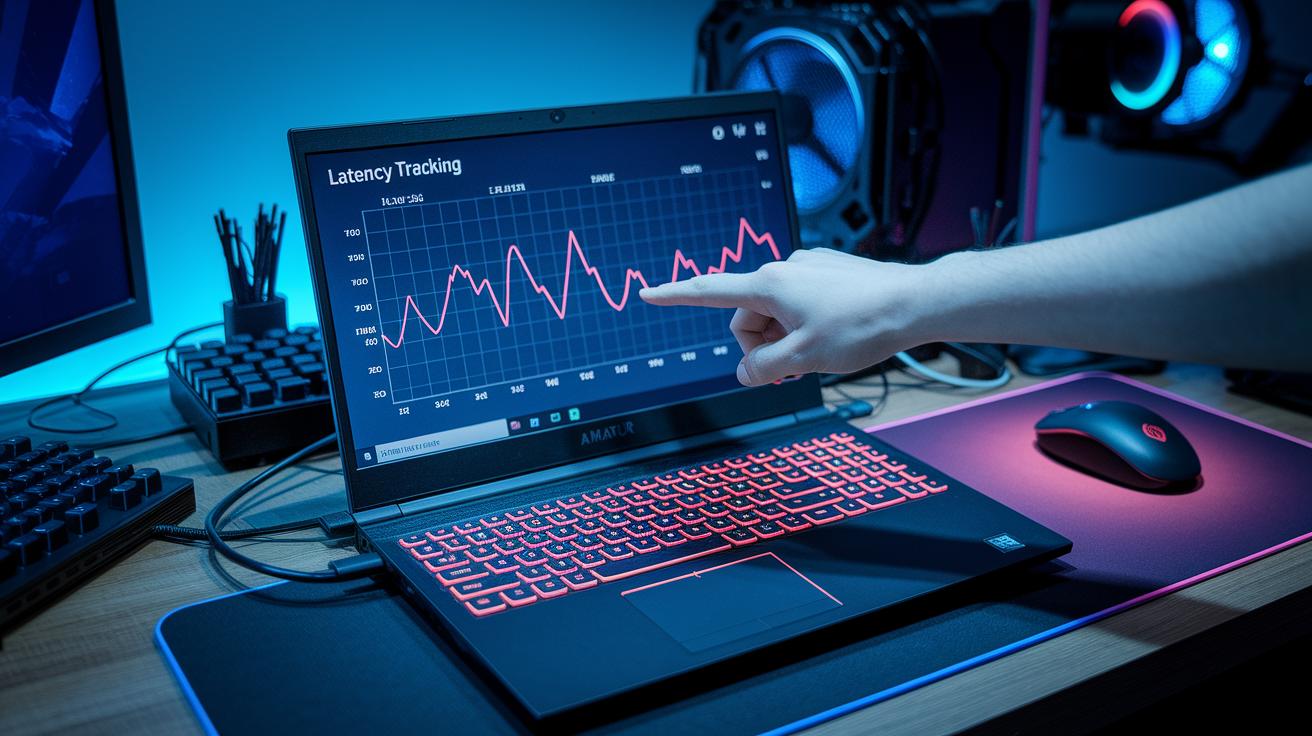
Try using your game’s built-in overlays or simple commands like ping and traceroute. These tools help you log average and peak round trip times so you can quickly spot delays and odd spikes. I remember once during a match, I ran a traceroute and saw my ping jump from 30ms to 70ms, right then I knew something was up.
Also, keep an eye on jitter. Tools like iperf and Wireshark show you how much the packet delivery times vary. This is super useful during those intense moments when every millisecond counts. Setting a regular routine with latency benchmarks helps you see how your connection performs at different times and places.
It’s also smart to check different server locations. Running a round trip time test across several regions can highlight when your connection struggles the most. Meanwhile, third-party monitors such as GameMon or PingPlotter offer live latency graphs and even alert you if there’s a sudden drop in performance.
- Run regular sessions with diagnostic tools.
- Compare results from your latency benchmarks.
- Check round trip times during peak hours.
- Use real-time jitter reduction tools for smoother gameplay.
Each of these steps gives you a clearer picture of your network performance and helps you pinpoint the issues causing game server troubles.
Step-by-Step Troubleshooting for Game Server Latency Issues
Let's break down how to fix lag and keep your game smooth. Start by checking both the server side and your own setup. First, figure out where the lag begins. For server admins, picking a regional data center can cut the number of hops your data takes. That means fewer chances for packet loss and a more stable connection. Dedicated servers also help by avoiding the noise from other users, giving you a crisper real-time experience.
On your end, there are quick tweaks to try. Switching from Wi-Fi to a wired Ethernet connection is an easy way to dodge buffering issues. Also, close any apps that sip up your bandwidth and update your network drivers so everything runs more efficiently. And, of course, making sure your gaming gear meets the recommended CPU and GPU specs can really cut down on delays.
Now, look at your router settings. Adjusting these can target common latency issues. Enable QoS to make sure your gaming data gets top priority, and set your gaming device as the number one. Installing the latest firmware is a good call too. If your router is old, upgrading to one with Wi-Fi 6 might be the game changer you need for better packet loss handling and overall performance.
- Use a regional data center and dedicated servers to ease server-side lag.
- Switch to Ethernet and close extra background apps to improve buffering.
- Update your network drivers and verify your hardware meets specs to cut down delays.
- Tweak your router settings by enabling QoS, prioritizing your gaming device, and considering a Wi-Fi 6 upgrade for better performance.
Follow these steps and say goodbye to lag. Soon, you'll notice your game feel smoother and more responsive, just what you need for those clutch moments.
Optimization Strategies for Game Server Infrastructure to Minimize Latency

Game studios can really cut down on lag by reworking their server setups. They can use load balancing and distributed architecture to get things running fast. One big step is putting global CDNs and edge servers into play so that game logic is as close to the player as possible. Imagine commands getting processed right next door, everything feels quick and smooth, almost like no delay at all.
When things heat up, auto-scaling and load balancing spread traffic across many nodes to keep things from getting bogged down during busy times. Think of it like having backup players ready; if one server stops working, another jumps in without missing a beat. Picture a special in-game event causing a rush of players, and the system handles the load so that everyone enjoys a smooth game.
Edge computing is another handy trick. It moves tasks that need quick responses, like player inputs in an intense match, closer to where the players are. This means these critical tasks don’t have to make a long journey to a central server. Plus, studios can set up auto-scaling rules that adjust resources on the fly during peak moments or big launches, ensuring there are no bottlenecks and performance stays top-notch.
- Use global CDNs and edge servers to run game logic near players.
- Auto-scale and balance traffic over several nodes to keep congestion at bay.
- Adopt microservices and geo-redundant clusters so if one server fails, another picks up immediately.
- Rely on edge computing to quickly handle essential tasks.
- Set clear auto-scaling rules to manage sudden spikes in demand.
All these practices come together to create a setup that shortens the trip for data packets and keeps the game steady even when loads are high. In the end, players get a flawless, uninterrupted experience no matter when or where they connect.
Best Practices and Emerging Trends to Combat Game Server Latency Issues

Game studios are switching to fiber data centers to really cut down on lag. They keep the bandwidth steady and reduce lost packets so every bit of data arrives fast. Imagine checking your ping and getting a solid 20ms every time, it’s like upgrading your whole setup for smooth gaming.
Another trick is to use UDP-based or custom protocols instead of the traditional TCP. Doing a quick check often shows that even saving a few milliseconds can change the game completely. Studios also use techniques like async data pipelines and client-side prediction so that moves pop up almost instantly, even if the data takes a longer route behind the scenes.
Plus, smart AI tools are now in play to handle routing and scaling. These systems constantly watch for lag and quickly adjust resources when the network gets busy. The end result is a much smoother, more uninterrupted gaming experience.
Final Words
In the action, we broke down game server latency issues and their impact on multiplayer gameplay. We explored how delays occur from hardware limits, network congestion, and external factors. We also walked through measurable tactics with basic diagnostic tools and shared clear troubleshooting steps for both players and server admins. Finally, we examined smart optimization strategies that pave the way for smoother play and streaming quality. These insights offer practical, down-to-earth tips to boost your confidence and performance in intense gaming sessions.
FAQ
How do gamers discuss game server latency issues on Reddit?
The discussion on game server latency issues on Reddit revolves around gamers sharing tips for troubleshooting, network tweaks, and hardware advice. Users swap stories of lag and success to improve overall responsiveness.
What is a good latency for gaming?
The good latency for gaming means having ping under 20 ms. This low delay keeps actions crisp and gameplay smooth, ensuring faster responses and a more competitive edge during matches.
How can I reduce or improve gaming latency?
The way to reduce gaming latency is by using a wired connection, shutting down background apps, and updating your network drivers. These tweaks help cut delays and boost in-game responsiveness.
What constitutes bad latency for gaming?
The definition of bad gaming latency is when your ping consistently tops 100 ms. This high delay leads to slow inputs, jerky movements, and a less enjoyable competitive experience.
How do I improve latency on Xbox?
The method to improve Xbox latency includes moving to an Ethernet connection, optimizing router settings for gaming, and keeping network drivers updated. These steps work together to lower delays during play.
Is 60 ms latency good for headphones?
The report on 60 ms latency for headphones indicates some delay, which is acceptable for casual use. For competitive gaming, lower latency is usually preferred to ensure real-time audio cues.
What is a latency test?
The description of a latency test is that it measures the time taken for data to travel from your device to a server and back. This test helps identify delays that might affect your gaming performance.
How can I fix server or game latency issues?
The method to fix server or game latency involves checking your network connection, switching to Ethernet, and sometimes contacting your ISP. These steps can help identify problems and reduce delays.
Why do game servers lag?
The reason game servers lag often comes down to high traffic, poor routing, or overloaded server capacity. Server lag interrupts smooth gameplay and can be caused by both local network issues and external factors.
Why does my game lag even with good internet?
The explanation for game lag despite good internet is that in-game problems, hardware limits, or overloaded servers might be at fault. Background apps and network interference can also contribute to the delay.