
Ever dreamt of watching your game change right before your eyes? It's like seeing your stats update live, fixing glitches and boosting wins as you play. Picture knowing exactly when and where players interact and why wins rise or fall. Real-time game analytics let developers jump in quickly to smooth out gameplay. In truth, this system runs like a solid team push, letting you adjust play-by-play and keep your players coming back for more.
Key Steps to Implement Real-Time Game Analytics Systems
Real-time data is a game-changer. It lets developers watch the pulse of the game, tracking things like how many players stick around on Day 1, 7, and 30, daily active users, earnings per player, and even crash rates. This instant info means teams can tweak gameplay and fix issues right when they happen, keeping the player experience smooth.
During those high-pressure moments, having data on the fly is crucial. In freemium games, where only a tiny slice of players make purchases, understanding how players behave is key. When you get clear insights from in-game events, it becomes easier to measure important stats and set up solid tracking, so developers can adjust game dynamics in real time.
- Define what you want to track and pick your core metrics.
- Instrument game events and set up your client SDKs.
- Build the data pipeline that gathers and streams the info.
- Add a stream-processing engine to combine and summarize data instantly.
- Create dashboards, alerts, and feedback loops to keep everything in check.
When these analytics systems work seamlessly, player engagement spikes and revenue grows. By breaking the data down to the smallest details, developers get a clear picture of how players interact and can make live adjustments. Every in-game move is looked at, which helps boost performance on the fly. This powerful setup guides game decisions, making the gaming environment feel dynamic and always ready for action.
Designing an End-to-End Real-Time Analytics Architecture for Games

Imagine setting up a live game analysis system that grows with your game. You need a neat, flexible system that fits with your game design, in-game economy, and live-ops needs. This plan gets along well with tools like Firebase (which can send data to BigQuery), GameAnalytics (great for both batch and near-real-time work), and Unity Analytics (offering webhooks and REST APIs for your custom setup). It all works on cloud-based platforms that adapt as your game grows so that every player move turns instantly into smart insights.
Ingestion Layer
Here’s how it starts: capture everything happening in the game with client SDKs, HTTP endpoints, and message brokers. This part of the system grabs data as it happens – whether it’s a new session, an in-game purchase, or any error pop-up. A strong set-up at this level is key for logging every move across all devices.
Processing Layer
Next up, plug in a stream-processing engine to crunch the data in real time. This step keeps an eye on windowed data groups and spots any odd behavior on the fly. That way, if something unusual happens – like a spike in activity or a glitch – you can jump in and fix things fast.
Presentation Layer
Finally, show off your data with easy-to-read dashboards, alert systems, and custom reports. These visual tools help your team keep track of important stats during live play. That means quicker reactions, smoother gameplay, and more wins as you fine-tune the experience on the go.
Optimizing the Data Pipeline for Real-Time In-Game Analytics
When you're dealing with real-time game data, speed is everything. You want your system to handle bursts of activity and process events in less than a second. One cool trick is splitting game events into different streams, just like putting cars in separate lanes during rush hour. This helps make sure that a rush of player actions or purchases doesn't bog things down. It also gives you a clear way to plan your resources, kind of like knowing which game types keep players hooked longer.
Having a tough system is key too. Replay buffers work like a "try again" button in your favorite game. If something doesn’t go as planned on the first run, the system can quickly reprocess those events. So when there's a sudden spike or a little glitch, your data remains steady and reliable.
Auto-scaling compute clusters are another smart move. They work like a team that changes its strategy on the fly, ramping up during the big plays and easing off during downtime. This way, the game stays smooth no matter how high the action gets.
Implementing Telemetry Collection and Event Logging for Real-Time Game Analytics

Collecting telemetry data is like gathering the stats that make your game epic. It all starts with picking the right channels and making sure your game client is set up for the job. Developers need to integrate SDKs that automatically send neat JSON messages for every big in-game event, whether it’s a session starting, a level loading, an error popping up, a purchase, or any custom action you care about. When you set your communication channels, go with HTTP for its simplicity and broad support. But if you need super quick service, gRPC might be a better pick because it transfers data fast with its binary style. It’s a smart move to set up a schema registry early on. This little helper makes sure every event lines up with your planned data format. For instance, you might see a JSON message like: "event": "session_start", "timestamp": 1623456789.
Next, don’t forget about compliance. Making a checklist to cover GDPR and CCPA rules is key. Every piece of telemetry needs encryption and privacy checks, and each log should stick to your data blueprint. Setting up HTTP endpoints or gRPC links with built-in data checks creates a smooth funnel for your event logs and keeps errors at bay. A solid checklist could include regular audits, encryption for data both at rest and while moving, and even data masking when needed. This careful setup ensures your telemetry stays accurate, secure, and ready for real-time action.
Selecting and Integrating Streaming Data Processing Tools for Real-Time Game Analytics
Imagine you're deep into your favorite game and want to track every move as it happens. Tools like Apache Kafka, AWS Kinesis, Google Pub/Sub, and Azure Event Hubs give you a strong base to handle game data streams. Firebase, for example, lets you push data straight to BigQuery so you can watch player actions in real time. GameAnalytics is neat because it works in both near-real-time and batch modes, handling sudden bursts of events while still keeping an eye on long-term trends. And Unity Analytics fills in the gaps with REST APIs and webhooks that let you build your own custom processors. In short, you can pick the tool that perfectly matches your game’s style and technical needs.
When it comes to plugging these streaming tools into your game, the process starts by hooking up SDKs or using RESTful endpoints. Developers can insert SDKs to automatically send event data, or they can choose REST APIs for more flexibility with standard HTTP calls. For instance, when a player completes a level, an API call can immediately log that action. The basic steps involve getting your authentication set up, configuring API endpoints, and making sure the event data is clear and well-formatted in JSON. It’s like building a bridge between your game client and your streaming backend.
A simple example of what the code might look like is:
- Initialize the streaming client with your API key.
- Package your data into structured JSON that includes event types and timestamps.
- Use a lightweight function to send this data with an HTTP POST request.
These building blocks give you the smarts to tweak game mechanics on the fly, keeping your gameplay lively and responsive.
Building Interactive Dashboards and Visualizations for Game Analytics
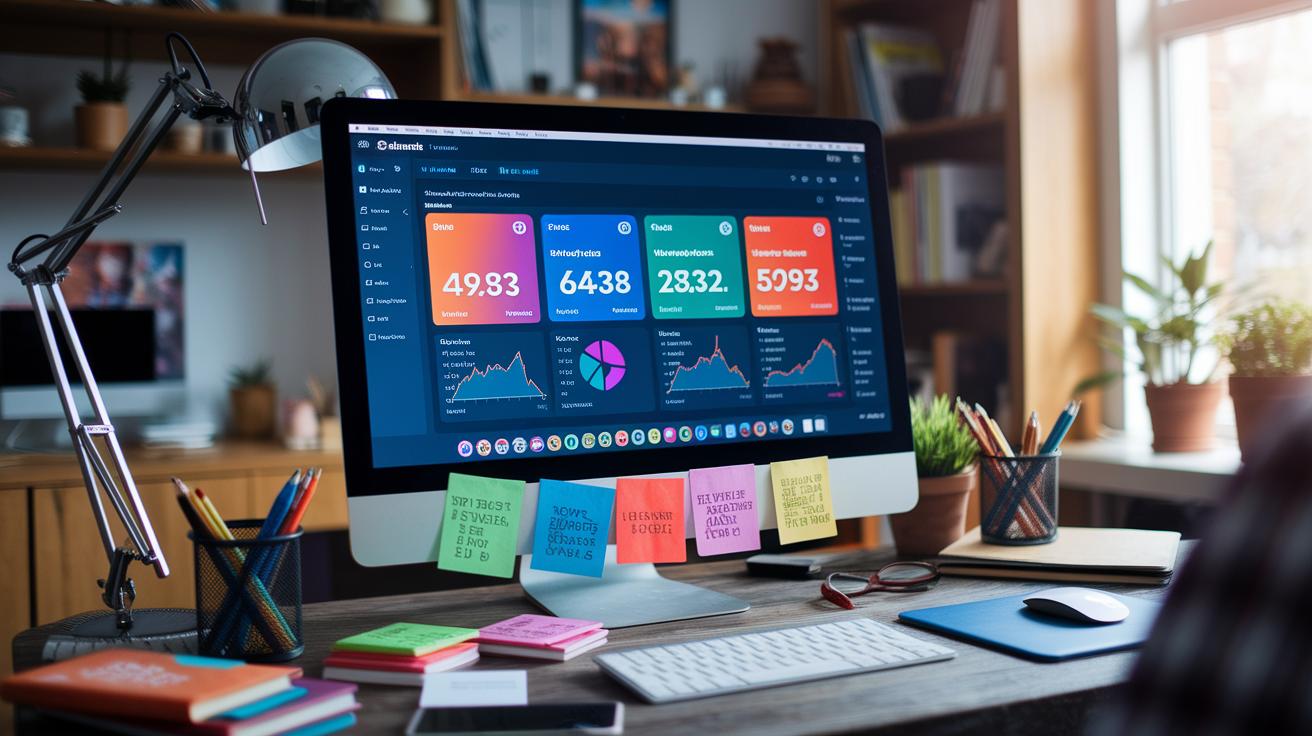
Dashboards make your game data come alive, showing you in real time how players are interacting with your game. They turn tough stats into simple, clear visuals, kind of like seeing a snapshot of a funnel analysis where you notice that after a new session starts, fewer players stick around until only the top fans remain. This helps you shape better retention strategies. Key metrics like daily active users, average revenue per user, session duration, and crash rates all need to be seen quickly and clearly.
| Metric Category | Visualization Type | Purpose |
|---|---|---|
| Retention Rates | Line Chart | Trend over time |
| DAU/MAU | Bar Chart | Active user comparison |
| Crash Rate | Gauge | Stability indicator |
| ARPU | Area Chart | Revenue growth |
Adding interactive dashboards provides a clear picture of how your game is doing. When you spot changes, such as a drop in retention or a rise in crash reports, it’s a signal to jump in and tweak things. This kind of fast feedback helps you adjust game elements on the fly, keeping players engaged and boosting revenue, all while improving the overall player experience.
Performance, Scalability, and Low-Latency Strategies in Real-Time Game Analytics
Real-time game data needs a speedy system that can handle sudden bursts without adding lag. A smart way to tackle this is by using multi-threaded processing that breaks tasks among several threads, just like having teammates each handle a different role during a match. Resource pooling helps too, letting your system share computing power like swapping power-ups in the middle of an intense game.
And don’t forget about handling back-pressure. When your data flow spikes unexpectedly, throttling techniques kick in to keep the load under control. Autoscaling rules add even more flexibility by automatically adjusting processing power based on demand, so sudden frame-rate jumps or minor hiccups don’t ruin the experience.
During live events, it’s key to keep an eye on crash rates and response times. It’s a bit like tweaking a level on the fly, real-time feedback shows every small glitch and helps you speed up load times. Techniques like concurrency management let your system juggle several data streams at once, ensuring nothing gets missed.
Pulling all these strategies together, from multi-threaded processing to dynamic resource allocation, ensures that players enjoy smooth, uninterrupted gameplay even in the heat of live action.
Data Security and Compliance for Real-Time Analytics Systems

Protecting player data in real-time analytics is a lot like prepping for a big match. You start by using encryption when data is sitting still or on the move, which helps keep all that sensitive player info safe. This simple step also makes sure you're in line with rules like GDPR and CCPA.
Next, think of adding strong checkpoints. You want to double-check that every event is real by using clear, easy-to-understand templates. Plus, only team members who really need access get it, thanks to role-based controls. And every time someone looks at the info, it's logged so there’s a clear trail, kind of like keeping a replay of every play.
Then, there’s the idea of automating cleanup. Regularly removing old records stops clutter from building up and keeps risk levels low. When you mix encrypted storage, careful event checks, and steady audit logs, you build a system that keeps data consistent and player info secure.
All these steps work together to help your analytics system stick to security practices and meet important international data protection rules.
Final Words
In the action, our guide broke down integrating live analytics into gameplay, from pinpointing key metrics and instrumenting vital game events to building a strong ingestion pipeline and crafting smooth dashboards. It also explored designing a scalable architecture and maintaining low-latency data flow while keeping player data safe. This hands-on approach helps you boost both player engagement and revenue. Adopting innovative strategies like implementing real-time game analytics systems can truly transform your gaming performance. Stay driven, keep experimenting, and watch your skills level up.
FAQ
Implementing real time game analytics systems python
Implementing real-time game analytics with Python streamlines event tracking and data processing, enabling rapid ingestion, processing, and visualization through established SDKs and libraries.
Implementing real time game analytics systems pdf
Implementing these systems using a PDF guide breaks down the process, offering clear instructions, metric definitions, and tool recommendations like Firebase to help structure real-time game insights.
Implementing real time game analytics systems examples
Implementing real-time game analytics systems is showcased through examples that detail event logging, data pipelines, and live dashboards, highlighting practical setups and best practices from in-game analytics.
Implementing real time game analytics systems free
Implementing free real-time game analytics systems involves leveraging open-source tools and community tutorials to build and monitor event pipelines, making live data integration accessible without large investments.
How is operational analytics implemented in the gaming industry?
Operational analytics in gaming are implemented by capturing live game data, processing it instantly for KPI tracking like DAU and crash rates, and feeding insights back into systems for quick adjustments.
How can analytics be used in real-time?
Analytics in real-time help inform decisions on player behavior and game performance by instantly processing events, updating dashboards, and modifying gameplay based on current data.
What is the analytics platform for games?
The analytics platform for games integrates tools that collect, stream, and process data, combining SDKs and dashboards to deliver live insights on metrics such as retention and revenue.
Are games real-time systems?
Games are considered real-time systems because they require rapid data processing and feedback loops to adjust gameplay on the fly and keep players engaged through live performance monitoring.