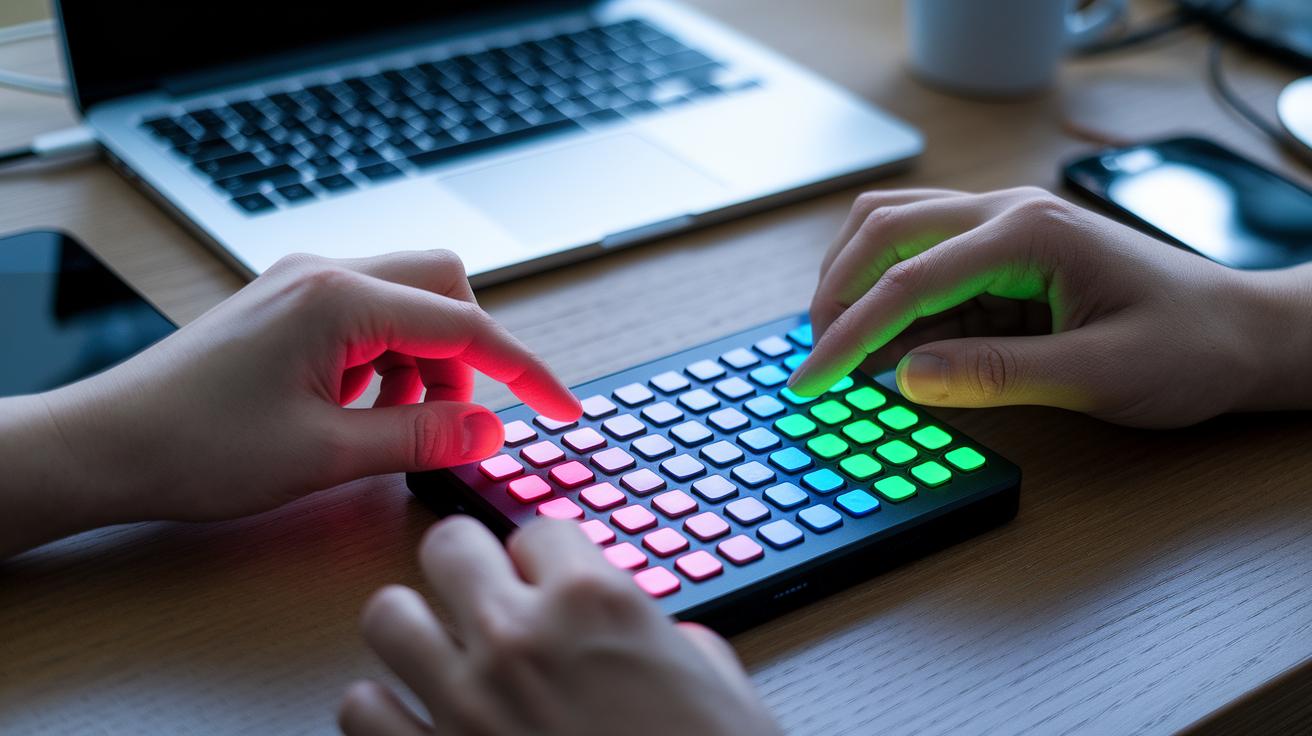
Ever feel stuck with a stream deck that just doesn’t let you play your way? In this post, we'll share some cool alternatives that free up your creative controls like never before.
Imagine having custom buttons and smooth dials that work perfectly with your favorite apps, whether you’re editing in Adobe or streaming on Twitch. There are plenty of choices for every budget, so you can find the perfect tool to give your setup a fresh feel.
You can pick a device that gives you a solid click under your fingers or even go for a software solution when you're on the move. We’ve got the top picks that help you take charge of your creative tools and make every stream feel uniquely yours.
Top stream deck alternatives at a glance
Since 2017, stream decks have really evolved, and now you’ve got a bunch of solid choices. There are seven popular picks that mix hardware and software to match different budgets and work styles. One cool option is the Loupedeck Live. It’s super fast, and with its analog dials, you get smooth, hands-on control over programs like Adobe Suite, Final Cut Pro, OBS Studio, Spotify, and Twitch. Imagine tweaking your live stream with that kind of precision!
Then there’s other hardware worth checking out. The X-Keys XK 24-USB Keyboard brings 24 fully programmable buttons in a compact design, making it great for your desk setup. And if you’re counting pennies, generic macro pads, whether you buy them prebuilt or roll your own DIY version, give you solid macro control without breaking the bank.
On the software side, the Elgato Stream Deck Mobile can turn any iOS or Android device into your streaming keypad. Just remember that after a free trial, it charges $2.99 a month. If you’d rather start free, Touch Portal and Deckboard offer a base version at no cost, with an optional Pro upgrade at $12.99 and $3.99 respectively. And for the simplest setup ever, Up Deck works directly with OBS Studio and is completely free.
There’s an option here for every style and budget, so find the one that fits you best.
Hardware stream deck alternative devices

Loupedeck Live packs solid physical buttons and smooth analog knobs that feel built to last. Gamers and streamers love how its feedback stays firm even during marathon sessions. Plus, regular firmware updates keep it working great with Adobe Suite, Final Cut Pro, OBS Studio, Spotify, and Twitch. One streamer even said, "After weeks of nightly streaming, my Loupedeck still feels as responsive as when it was new."
The X-Keys XK 24-USB Keyboard features 24 fully programmable keys that are made for heavy use. Its tough switch mechanism and clean design ensure every command lands perfectly, even during quick scene changes. As one user shared, "The keys stay solid and consistent even after months of intense gaming and streaming."
Budget macro pads offer a compact way to control media, with different key counts to suit your needs. Many of these devices are built with durable materials that can handle frequent use, priced anywhere from $30 to $50. One streamer mentioned, "My budget macro pad flawlessly handled custom OBS macros during a long, multi-hour broadcast."
| Device | Key Features | Durability Insight |
|---|---|---|
| Loupedeck Live | Solid buttons, smooth analog dials, native software integration | Maintains firm tactile feedback over long sessions |
| X-Keys XK 24-USB Keyboard | 24 programmable keys, user-friendly design | Built to deliver steady performance during extended use |
| Budget Macro Pads | Various key counts, cost-effective media controls | Durable design provides reliable service at a lower price |
Software stream deck alternative solutions
These software options let media producers control live broadcasts without needing extra hardware. Each app is easy to set up, so you can pair your devices, drag and drop commands, and switch scenes in a flash. One streamer said it felt like having physical keys right at your fingertips.
| Solution | Platform Support | Fee Structure | Unique Technical Features |
|---|---|---|---|
| Elgato Stream Deck Mobile | iOS, Android | $2.99/mo or $24.99/yr after trial | Virtual deck that makes scene switching smooth; one user compared it to flipping through a playlist. |
| Touch Portal | Desktop and mobile | Free base version; Pro upgrade is a one-time $12.99 | Offers a custom media command interface with drag and drop actions for quick access. |
| Deckboard | Windows, Android | Free version and a Pro upgrade for a one-time fee of $3.99 | Gives you precise control over audio and visuals, perfect for fine-tuning your live setup. |
| Up Deck | Browser-based via OBS plugin | Free | Features an OBS-integrated, no-install web interface for smooth macro and media command control. |
Developers point out that these apps really stand out because of their unique control setups. You can customize your command layout to feel totally personal. Streamers love the quick scene switching and instant macro triggering, which feels a lot like using real keys. Plus, the learning curve is super short. One person said, "I set up my custom commands in minutes; it’s like using keyboard shortcuts but way more visual."
stream deck alternative: Creative Control Elevated

Imagine setting up your own gaming control center without breaking the bank. With a simple macro pad paired with tools like Keyboard Maestro, Karabiner-Elements, AutoHotKey, or Tasker, you can build a streaming command hub that feels totally custom. You can launch apps like Chrome, Slack, and OBS with one tap, just like hitting a power-up in the thick of a game. And you might be surprised to learn that it can all cost less than $50.
When you team up a standard macro pad with free or paid software, it transforms into a flexible tool that adapts to your needs. Once you set up your key mappings with a bit of drag-and-drop or some basic scripting, you can switch scenes, adjust window sizes (thanks to tools like Magnet), and run unique macros using variables like %TriggerValue%. It’s like getting a controller that does just about everything you need.
- Test each macro in a practice session to ensure they work just like you want.
- Take advantage of open-source utilities for media apps to carve out your perfect workflow.
This DIY method not only cuts costs but also lets you try out personal tweaks that make streaming even more fun. It’s all about creating a setup that feels as unique as your gameplay.
stream deck alternative pricing comparison table
Hey streamers and content creators, here’s a handy guide that breaks down each option by cost, compatibility, features, warranty, and update cycle. This extra info shows you what makes each device special and helps you decide which one fits your streaming setup best.
| Device | Cost | Platform Compatibility | Key Features | Warranty/Support | Update/Support Cycle |
|---|---|---|---|---|---|
| Generic Macro Pads | $30–$50 | USB, cross-platform | Multiple key counts (15–32) with DIY flexibility | Warranty varies by vendor; relies on community support | Limited direct updates; mainly DIY fixes |
| Loupedeck Live | $160 | Windows, macOS | Physical buttons, analog dials, and native integration | 1-year warranty with a dedicated support team | Regular firmware updates every 2–3 months |
| X-Keys XK 24 | $120 | Windows, macOS | 24 programmable keys with a solid build | Standard manufacturer warranty and commercial support | Firmware updates as needed |
| Elgato Stream Deck Mobile | $24.99/yr | iOS, Android | Virtual deck with a smooth interface for scene switching | Subscription-based support with an online help center | Frequent app updates based on user feedback |
| Touch Portal Pro | $12.99 one-time | Desktop, Android, iOS, macOS | Digital control with easy drag-and-drop setup | One-time purchase comes with basic support | Occasional updates with community contributions |
| Deckboard Pro | $3.99 one-time | Windows, Android | Intuitive on-screen macro control | Basic ticket support and free online resources | Regular updates via app store releases |
| Up Deck | Free | Browser-based via OBS | OBS-integrated control without extra software | Open-source and maintained by the community | Update frequency varies with community input |
This revamped format gives you a clear picture of what each option brings to the table, helping you choose what works best for your streaming adventures.
stream deck alternative pros and cons overview
Stream deck alternatives come with cool perks that many streamers love, though they do have a few drawbacks. For starters, they’re much easier on the wallet. You can begin with a basic setup and slowly add more features as you go. Plus, you can arrange your commands just the way you like them. One user even mentioned mapping every macro to perfectly match their streaming vibe. They work with different systems too, which is great if you switch between platforms. And the best part? You won’t get stuck paying extra subscription fees.
On the other hand, there are a couple of hiccups. Some of these alternatives don’t offer dynamic OLED keys, so seeing your commands isn’t as clear. Getting advanced features might require a bit of scripting know-how, which isn’t for everyone. Mobile apps, although handy, can sometimes show a slight delay on button responses. Also, you might notice a bit of a disconnect when switching between your mobile and desktop. Plus, support for software beyond the common ones like OBS and Twitch can be a bit limited.
Here’s a quick summary of the ups and downs:
| Pros | Cons |
|---|---|
| Lower entry cost Customizable layouts Cross-platform support No subscription fees |
Lacks dynamic OLED keys May need scripting skills One-button lag in mobile apps Inconsistent mobile-to-desktop connectivity Limited native integrations outside OBS/Twitch |
This rundown should help you decide which option fits best with your streaming style.
stream deck alternative: Creative Control Elevated
If you're a gamer looking to build a custom control hub that offers more than just plug-and-play, check out these options that let you tweak your workflow. Many streamers mix smart software with creative scripting to whip up dashboards that are ready on the fly. One streamer even discovered that stacking commands in Touch Portal, paired with a few custom macros, dramatically cut their response time during live matches.
Advanced players have found that pairing a budget-friendly $30 macro pad with tools like AutoHotKey or Keyboard Maestro opens up a world of new possibilities. Instead of copying off-the-shelf setups, they remap buttons to trigger commands based on what’s happening in the moment. One dedicated streamer said, "My custom macros let one button completely change my control layout, which is perfect for switching game modes mid-stream."
For creators who need smooth, built-in integration, Loupedeck Live stands out with its dedicated app support and multi-action chaining that simplifies tricky tasks. Big-time streamers rely on the X-Keys XK 24 for its rock-solid command performance across multiple PCs, while those with simpler OBS setups often go with Up Deck for its minimalist design.
| Device/Software | Key Advantage | Recommended For |
|---|---|---|
| Deckboard/Touch Portal | Custom scripting and layered controls | Mobile/budget setups |
| Macro pad with AutoHotKey | Context-sensitive macros | DIY customization experts |
| Loupedeck Live | Deep native integrations | Heavy native integration needs |
| X-Keys XK 24 | Robust multi-PC performance | Enterprise users |
| Up Deck | Simplicity with OBS | Minimal desktop setups |
• Try out layered commands for setups that adapt on the fly.
• Use smart, context-aware macros to keep your stream moving smoothly.
• Tweak integrations to suit any gaming or streaming scenario.
Final Words
In the action, we explored top stream deck alternatives that cater to every streamer’s needs. The article reviewed hardware options for a physical feel, software choices for flexible control, and even DIY setups for budget-friendly builds. We looked at pricing, key features, and a clear pros and cons rundown. Whether you’re chasing a cost-effective macro controller or a full-fledged digital interface, these options give you the tools to ramp up both gaming performance and streaming quality. Enjoy experimenting and enhancing your game setup!
FAQ
Q: What stream deck alternatives are discussed on Reddit?
A: The stream deck alternatives shared on Reddit include both hardware and software options like DIY macro pads, Touch Portal, and Deckboard, giving users a range of choices for customizable live control.
Q: What is Touch Portal?
A: Touch Portal is a software tool that turns your smartphone or desktop into a control panel, allowing you to trigger macros and switch scenes during live streams with a simple setup.
Q: What are some affordable stream deck alternatives?
A: Affordable stream deck alternatives include budget macro pads, free apps like Up Deck and Deckboard, and one-time fee solutions such as Touch Portal’s Pro version, letting you manage your streams without a subscription.
Q: What is similar to a Stream Deck?
A: A device similar to a Stream Deck functions as a customizable control panel and includes options like Deckboard, Touch Portal, and DIY setups with macro pads, offering varied features to match your streaming needs.
Q: Is there a better alternative to a Steam Deck?
A: When comparing alternatives to a Steam Deck for streaming control, many users opt for software solutions like Touch Portal or Deckboard, which offer customization and affordability that appeal to budget-conscious creators.
Q: How can I use a Stream Deck alternative on Linux?
A: Some Stream Deck alternatives like Touch Portal and Deckboard work on Linux through compatibility tools, so Linux users can still create custom control panels for managing streams and macros.
Q: Can I use a tablet as a Stream Deck?
A: You can use a tablet as a Stream Deck by installing apps such as Elgato Stream Deck Mobile or Touch Portal, which let your tablet function as a fully customizable control pad for live streaming.
Q: Is the Elgato Stream Deck discontinued?
A: The Elgato Stream Deck is still actively supported and regularly updated, remaining a popular hardware choice among streamers who value its reliability and built-in features.
Q: What is Deckboard and how is it used?
A: Deckboard is a software solution that turns your smartphone or tablet into a customizable control panel, allowing you to manage streaming actions, macros, and scene switches with ease.
Q: What software alternatives help control streaming setups?
A: Software alternatives like OBS Studio integrations, MATRIC – Remote for Windows PC, and Unified Remote offer remote control of streaming software and system functions, delivering flexible and cost-effective solutions for content creators.